Use Case: I carry a Sunbeam phone and want to view and respond to texts on my PC and other devices.
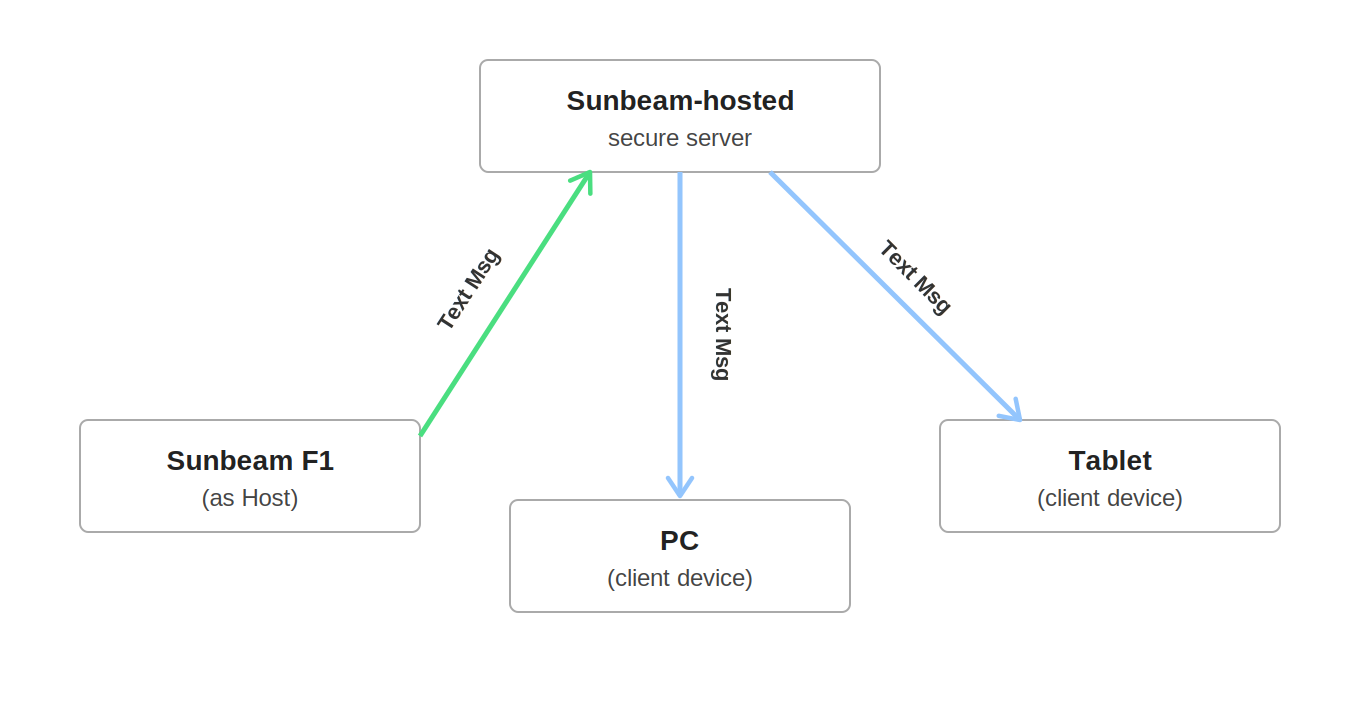
Definitions
- Account - requires a paid subscription and a Sunbeam phone to activate. Allows you to sign in and connect up to six other devices, including smartphones, tablets, and computers.
- Host - the main device hosting the connection and functioning as the source of data for all other connected devices.
- Client - any device connected to the Numberlink service.
Setup
Sunbeam F1 account creation and login
- On the Sunbeam phone, open the NumberLink Host app.
- Note the new account number, you'll need this to sign in to other devices later. The account number will be your phone number, including the country code. (For example, "1" for US numbers)
- Create a password, then tap Register.
- Accept the terms and conditions.
- Enter the verification code you received.
- You should now be logged in and connected.
- Choose “Set as host” to start uploading your data. This should be done over WiFi, as the initial sync uploads the entire call log, contact names/numbers and the last 30 days of messages.
Logging in to other devices
- Install the NumberLink app for the device you're using, from the downloads page.
- Enter your account number and password, then tap Login.
- Enter the verification code you've received on your host device.
- Wait a few minutes for your NumberLink data to sync and you're done!
- Repeat the process for any other devices you wish to add.
- All of your text messages should be displayed in the NumberLink app and you can reply directly from your PC, tablet, smartphone or whatever device you're using.
Was this article helpful?
That’s Great!
Thank you for your feedback
Sorry! We couldn't be helpful
Thank you for your feedback
Feedback sent
We appreciate your effort and will try to fix the article